Buyer's guide / Memory
How much RAM do you need for gaming in 2026 - and how fast should it be?
32GB is the 2026 sweet spot; 16GB is the fraying floor. Here's the real per-game usage, the DDR5 speed that actually matters (and the AMD vs Intel difference), the 8GB-VRAM trap, and a clear buy verdict despite the DRAM price spike.
By Evan Cole · Last updated July 17, 2026
First, the 2026 twist: the DRAM price spike
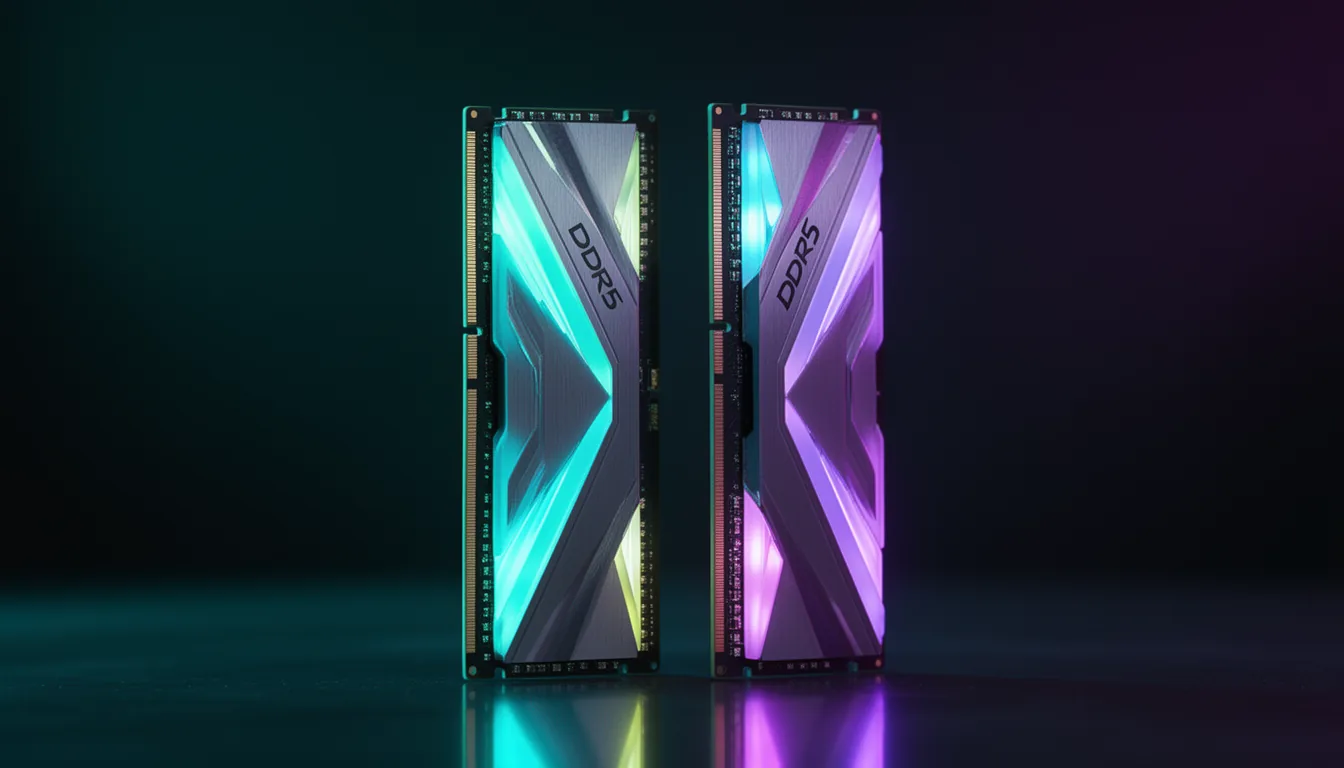
You can't talk about RAM in 2026 without the price. The same AI-driven memory shortage inflating GPU prices has hit DRAM hard — the same crunch behind our 2026 GPU prices story. A 32 GB DDR5 kit that used to sell for around $100-130 climbed to roughly $350 in early 2026, with a 16 GB kit at about $200 — half the 32 GB price (TechSpot / Hardware Unboxed, January 2026). Prices move weekly, so treat any figure as a snapshot — but with no quick relief expected while the shortage continues, it's the reason 16 GB is even in the conversation for a new build in 2026.
How much RAM, how fast - by use case
| If you… | Capacity | Speed | Notes |
|---|---|---|---|
| Esports / older titles (1080p) | 16 GB | DDR5-6000 CL30 | Stays well under 16 GB; fine on any modern platform |
| Mainstream AAA 2026 (1080p-1440p) | 32 GB (2x16) | AMD 6000 CL30 / Intel 6400 CL32 | The real 2026 target - several new games now push past 16 GB |
| 4K gaming | 32 GB | 6000 CL30 | GPU-bound, so RAM speed matters least here |
| Gaming + streaming / creation | 32-64 GB | 6000-6400 | Encoding + browser + game reliably exceeds 16 GB |
| Heavy creation / sims / VMs | 64 GB (2x32) | 6400 CL32 | Capacity over speed; DCS/MSFS/4K timelines |
| 8 GB-VRAM GPU (any use) | 32 GB | 6000 CL30 | A must - low VRAM spills into system RAM (see below) |
Is 16GB the new 8GB? The honest 2026 take
Not quite — but the cracks are showing. In 2026 benchmark testing across a slate of current titles (with a browser and Discord open, as most people actually game), most AAA games peaked around 13-18 GB and ran essentially identically on 16, 32 and 64 GB (TechSpot / Hardware Unboxed). But the first clear failures have arrived: Mafia: The Old Country needs roughly 20 GB for smooth frame times, and 16 GB produced genuinely bad frame pacing. Add background apps and the headroom shrinks further. So 16 GB is now the "runs, with asterisks" floor; 32 GB is the real 2026 target, and the only strong reason to buy 16 GB is the price spike above.
The 8GB-VRAM trap (why a cheap GPU forces 32GB)
Here's the under-covered interaction that catches budget builders. When a GPU runs out of its own memory, it spills game assets into system RAM — and if you only have 16 GB of that, the overflow then spills to the pagefile on your SSD, which is far slower and causes heavy stutter. In testing, an 8 GB RX 9060 XT with 16 GB of system RAM had terrible frame times that a move to 32 GB largely fixed — improving 1% lows by well over 50%. The rule: if your graphics card has only 8 GB of VRAM, 32 GB of system RAM is close to mandatory. (It's one more reason 8 GB cards are a false economy — see is 8GB of VRAM enough in 2026?)
How fast? The DDR5 speed that actually matters
Two numbers describe RAM speed: frequency (MT/s, e.g. 6000) and latency (the CL number, e.g. CL30) — and lower CL at a given frequency is better, so DDR5-6000 CL30 can beat DDR5-6400 CL36. How much does faster RAM actually add? Not much: roughly +3-8% going from DDR5-5600 to 6000 in CPU-bound games, and only +1-3% from 6000 to 7200 — shrinking to near-zero at 4K. The curve flattens hard past ~6000-6400. Buy a good 6000 CL30 kit and don't agonise over the rest.
AMD vs Intel: the platform rule
This is where the platforms diverge, and it's squarely a CPU decision question.
- AMD AM5 (Ryzen 7000/9000): DDR5-6000 CL30 is the sweet spot, because it keeps the memory clock and memory controller (MCLK/UCLK) in a 1:1 ratio. Push to 6400+ and it often drops to a slower ratio that erases the bandwidth gain — so 6000 CL30 is usually the smart place to stop.
- Intel (Core Ultra / 14th-15th gen): the controller tolerates higher speeds, so DDR5-6400 CL32 is the practical target, and Arrow Lake Refresh adds native DDR5-7200 support if you want to push further.
- AMD X3D chips (9800X3D etc.): far less sensitive to RAM speed — the big L3 cache absorbs memory latency, so 6000 CL30 is plenty and 7200+ is wasted money.
Kit config: two sticks, and turn on EXPO/XMP
Two easy mistakes cost real performance. First, always run two sticks (a matched 2×16 GB kit for 32 GB), never one — a single stick runs single-channel and roughly halves memory bandwidth, a bigger loss than any 6000-vs-6400 debate. Two sticks also clock higher and more stably than four, so a 2-stick kit is best for high-speed gaming. Second, enable EXPO (AMD) or XMP (Intel) in the BIOS — DDR5 ships at a slow default (often 4800), and a fast kit left un-enabled silently forfeits the speed you paid for. It's a safe, one-time toggle.
What to actually buy
- Most gamers (AMD): a 32 GB (2×16) DDR5-6000 CL30 EXPO kit. Check 32GB DDR5-6000 CL30 kits →
- Most gamers (Intel): a 32 GB DDR5-6400 CL32 XMP kit. Check 32GB DDR5-6400 kits →
- Budget / stopgap: a 16 GB (2×8) DDR5-6000 kit now, upgrade later — only if you don't have an 8 GB-VRAM GPU. Check 16GB kits →
- Creator / sims: a 64 GB (2×32) DDR5-6400 kit. Check 64GB kits →
Note: many RAM vendors' own guides push more and faster memory than the benchmarks justify — they profit from it. These picks follow the measured data. Prices are volatile in 2026's shortage; check current listings before buying.
Frequently asked questions
Is 16GB of RAM enough for gaming in 2026?
For most games, still yes - but it's now the floor with cracks showing, not the safe default. In 2026 benchmark testing, most AAA titles peaked around 13-18 GB and ran essentially the same on 16, 32 and 64 GB - but the first titles have started breaking 16 GB (Mafia: The Old Country needs roughly 20 GB for smooth frame times), and running background apps (browser, Discord, overlays) eats into your headroom. 32 GB is the real 2026 target; the main reason to buy 16 GB today is the DRAM price spike.
Is 32GB of RAM overkill for gaming?
No - 32 GB (2x16 GB) is the 2026 sweet spot. It comfortably covers current AAA games plus background apps, gives headroom for the games that have started exceeding 16 GB, and is the safe choice if you plan to keep the build a few years. It's the capacity independent reviewers now recommend as the gaming baseline. You'd only need more for heavy creation, VMs or sim titles.
Will more RAM (32GB vs 16GB) increase my FPS?
Only when a game actually needs more than you have. Up to the point your games fit in memory, 16 GB and 32 GB perform identically - extra capacity doesn't raise your frame rate. The moment a game exceeds your RAM, the overflow spills to the much slower pagefile on your SSD, causing stutter and frame-time spikes; there, 32 GB is dramatically smoother. So more RAM doesn't raise your ceiling - it stops your floor from collapsing.
Do I need 64GB of RAM for gaming?
Not for gaming alone - no game benefits from 64 GB over 32 GB in 2026. 64 GB (2x32 GB) is worth it if you also do heavy video editing, run virtual machines, keep dozens of browser tabs and apps open alongside the game, or play memory-hungry simulators (DCS, MSFS) with mods. For a pure gaming build it's money better spent on the GPU.
Is DDR5-6000 or DDR5-6400 better for gaming?
It depends on your platform. On AMD AM5 (Ryzen 7000/9000), DDR5-6000 CL30 is the sweet spot because it keeps the memory clock and memory controller (MCLK/UCLK) in a 1:1 ratio; pushing to 6400+ often drops to a slower ratio that erases the gain, so 6000 CL30 is usually the smart stop. On Intel, the controller tolerates higher speeds, so DDR5-6400 CL32 is the practical target (Arrow Lake Refresh officially supports up to 7200). Either way the real-world difference is small - low single-digit percentages, shrinking to near-zero at 4K.
Is DDR5-6000 CL30 better than DDR5-6400 CL36?
Often yes. Frequency isn't the whole story - latency (the CL number) matters too. DDR5-6000 CL30 has lower real latency than DDR5-6400 CL36, and on AMD it also keeps the 1:1 MCLK/UCLK ratio, so it frequently matches or beats the higher-frequency-but-looser kit in games. Don't chase MHz alone; a tight CL30 kit at 6000 is the value pick.
What RAM speed is best for a Ryzen X3D CPU?
DDR5-6000 CL30, and don't overpay beyond it. AMD's 3D V-Cache chips (9800X3D, 9950X3D) are far less sensitive to RAM speed than other CPUs because their large L3 cache absorbs memory latency - so a fast, expensive 7200+ kit buys you almost nothing over a good 6000 CL30 kit. Put the savings toward the GPU.
Does RAM speed matter with an 8GB graphics card?
The bigger issue is capacity, not speed. An 8 GB-VRAM GPU (like an RTX 5060 or RX 9060 XT 8 GB) spills game assets from VRAM into system RAM when it runs out - and if you only have 16 GB of system RAM, that overflow then spills to the pagefile, causing severe stutter. In testing, moving from 16 GB to 32 GB improved 1% lows by well over 50% on an 8 GB card. So with a low-VRAM GPU, 32 GB of system RAM is close to mandatory - see our 8GB VRAM guide.
Should I buy RAM now or wait for prices to drop?
It's a genuine dilemma in 2026. A DRAM shortage - the same AI-driven memory crunch inflating GPU prices - has pushed RAM prices up sharply (a 32 GB DDR5 kit that was ~$100-130 climbed to roughly $300-400 in early 2026), with no quick relief in sight. If you're building now and need the machine, buy 32 GB and absorb it; if you're on a tight budget, 16 GB now with a later upgrade is a legitimate stopgap. Waiting for a big drop is a bet against a shortage that has shown no sign of easing.
Should I buy one 32GB stick or two 16GB sticks?
Always two sticks. A single stick runs in single-channel mode, roughly halving memory bandwidth - one of the biggest avoidable performance losses in a build. Buy a matched 2x16 GB kit for 32 GB. Two sticks also clock higher and more stably than four, so for a high-speed gaming build, 2 sticks beat 4. And remember to enable EXPO (AMD) or XMP (Intel) in the BIOS, or your fast kit runs at slow default speed.
Sources & method
Capacity findings, per-game RAM usage, the 8 GB-VRAM interaction and price snapshots are from TechSpot / Hardware Unboxed's January 2026 benchmark (tested on a realistic background-loaded install); the DDR5 speed/latency guidance reflects the AM5 6000 CL30 (MCLK/UCLK 1:1) and Intel 6400/7200 sweet spots (Tom's Hardware), and the X3D-is-less-RAM-sensitive point is from XDA. The faster-RAM fps percentages are triangulated from multiple guides and vary by CPU, resolution and title. Prices are approximate mid-2026 figures and move weekly. Every figure here is drawn from independent lab testing, cited inline.
Related buyer's guides
All reviews →Buyer's guide / PC builds
Best gaming PC under $1,500 in 2026
The honest $1,500 build: a 16GB RX 9060 XT, Ryzen 5 and 32GB DDR5 for strong 1080p-ultra and entry-1440p gaming — with the real shortage-adjusted total, where every dollar goes, and whether a prebuilt beats it this year.
See the build →
Buyer's guide / PC builds
Best gaming PC under $2,000 in 2026
The value sweet spot: near-flagship 1440p gaming built around the RX 9070 XT and an X3D CPU — with the honest 2026 total, budget allocation, and exactly how to duck under a hard $2,000.
See the build →
Buyer's guide / PC builds
Best gaming PC under $3,000 in 2026
Where 4K becomes real: the fastest gaming CPU paired with an RTX 5080 for 1440p-max and 4K-high with DLSS 4 — the honest shortage-adjusted total, where every dollar goes, and a matched monitor.
See the build →
Buyer's guide / PC builds
Best gaming PC under $5,000 in 2026
The honest high-end build: a fully-maxed RTX 5080 creator-gaming machine with a 16-core 9950X3D, 64GB and 4TB — plus the truth about why $5,000 does not reliably buy a 5090 at 2026 street prices.
See the build →
Buyer's guide / AI PCs
LLM VRAM calculator
Enter a model size, quantization and context length to estimate the VRAM or unified memory an LLM needs to run locally — and instantly see which 2026 machines can hold it.
Use the calculator →
Buyer's guide / AI PCs
How to run LLMs locally: the 2026 hardware guide
How much VRAM or unified memory you need to run 7B-120B models locally, the capacity-vs-bandwidth tradeoff, and the 2026 hardware that hits each point on the curve — GB10, Ryzen AI Max, Apple Silicon and RTX GPUs.
Read the guide →