Buyer's guide / PC builds
Best gaming PC builds in 2026: honest parts lists by budget
Four compatibility-checked builds, from a 1440p-value rig to a no-compromise 4K machine - with the real core-hardware cost after 2026's price spike, why we won't recommend discontinued Crucial parts, an honest build-vs-buy call, and the monitor to pair with each.
By Evan Cole · Last updated July 17, 2026
The 2026 price reality (read this first)
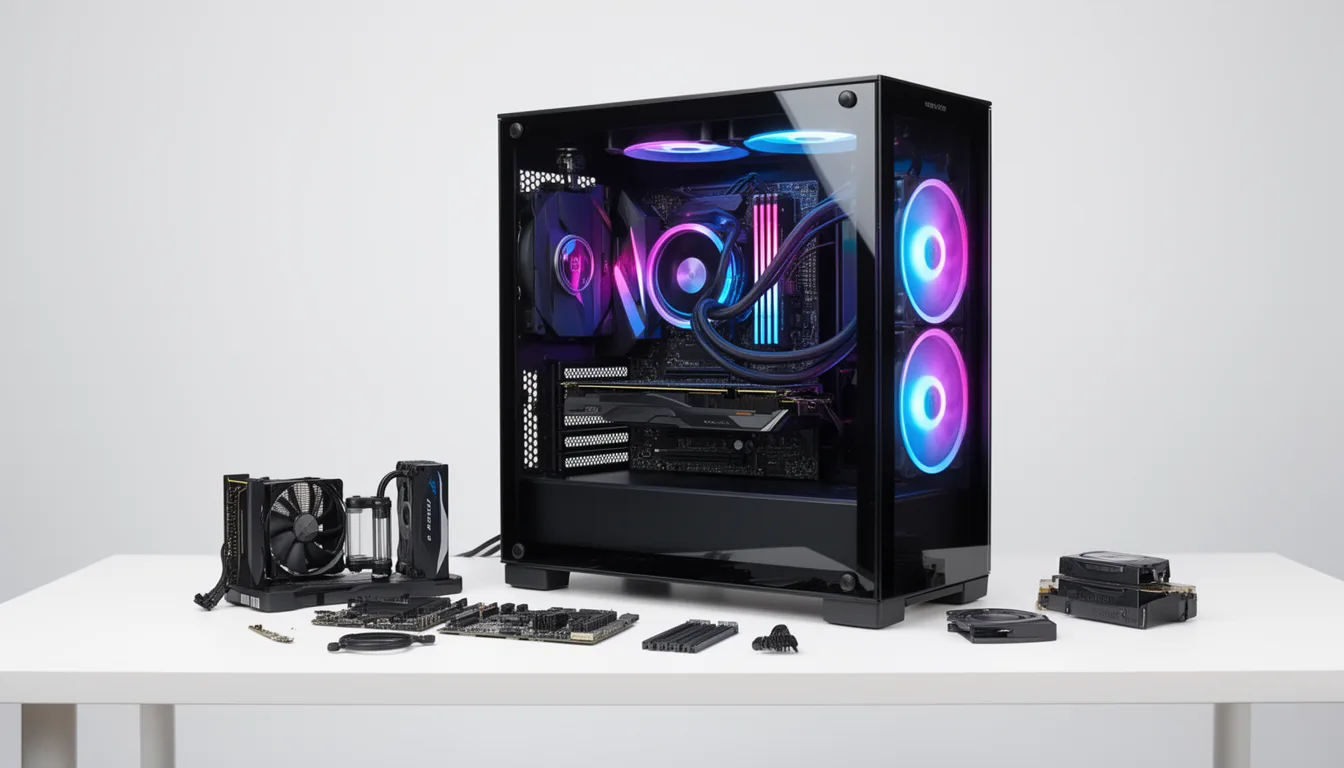
You cannot honestly talk about a 2026 build without the price spike. The same AI-datacenter memory boom behind our GPU prices, RAM and SSD guides has driven a severe DRAM and NAND shortage. DDR5 roughly tripled (a 32 GB kit that was ~$90 in late 2025 can be ~$450 now), SSD prices more than doubled, and GPUs rose on top of high demand (GamersNexus). The result: the classic "$1,000 / $1,500 / $2,000" tiers now cost roughly $1,450 / $2,100 / $3,150 in real money. We keep each tier's performance target and total honestly at current prices — and we flag the RAM and GPU as the budget-busters, because they are.
One more accuracy note. In December 2025 Micron announced it is winding down the Crucial consumer brand by around February 2026. Popular Crucial SSDs and RAM are now end-of-life — yet several currently-ranking build guides still list them. None of our builds use Crucial parts; every pick is from a brand staying in the consumer market.
Pick your build by resolution
The screen you game on should drive the build — not the other way round. This is the framework most guides skip:
- 1080p high-refresh / entry 1440p → the Entry build. Pair a 144-180Hz monitor.
- 1440p high (the 2026 sweet spot) → the Sweet-spot build. Pair a 1440p 144-165Hz IPS or OLED panel.
- 1440p maxed / entry 4K → the High-end build. Pair a 1440p 240Hz OLED or a 4K 144Hz panel.
- 4K high-refresh, no compromise → the Halo build. Pair a 4K 240Hz OLED.
Not sure how much GPU each resolution needs? Our 1440p vs 4K and best GPUs guides break it down.
Should you build or buy in 2026?
An honest answer, even though we earn on parts: in 2026, a prebuilt is sometimes the smarter buy — particularly at the entry tier. System integrators who locked in memory and GPU stock at pre-spike prices can occasionally sell a complete machine for less than the same parts cost individually today. Building still wins on part quality, no bloatware, and full upgrade control, and it's usually cheaper at the higher tiers. But before you buy, price a prebuilt at your tier too — if it's cheaper this week, take it. We'd rather you spend well than stay loyal to building for its own sake.
The four builds
Each build is compatibility-checked at curation time (socket, RAM type, PSU wattage, GPU and cooler clearance). Prices are approximate mid-2026 US street and move weekly — the affiliate links go to live listings, so check the current price before buying.
Entry / value — 1080p Ultra / 1440p High
The sensible starting point - a 16GB-VRAM 1440p-capable build that skips the 8GB-card trap.
Real mid-2026 total: ~$1,540 (roughly $1,000 before the 2026 spike — about $540 of shortage premium)
| Part | Pick | ~$ | Why |
|---|---|---|---|
| CPU | AMD Ryzen 5 7600 | $185 | Cheapest current-gen AM5 gaming CPU; clean upgrade path to an X3D chip later. |
| CPU cooler | Thermalright Peerless Assassin 120 SE | $35 | The value-cooler standard - quieter and cooler than stock. |
| Motherboard | MSI B650 Gaming Plus WiFi | $150 | Solid VRM, WiFi, one-click EXPO; the cheapest reliable B650. |
| RAM | G.Skill Flare X5 32GB (2x16) DDR5-6000 CL30 | $450 | AMD's 1:1 sweet spot. The single biggest budget line in 2026 - the price spike hits here hardest. |
| GPU | AMD RX 9060 XT 16GB | $430 | Best-value 1440p raster; the 16GB avoids the 1440p 8GB-VRAM cliff. |
| SSD | WD Blue SN5000 1TB (Gen4 NVMe) | $120 | Gen4 is plenty for gaming; 1TB floor. Currently-supported (not Crucial). |
| PSU | Corsair RM650e (650W 80+ Gold, ATX 3.1) | $90 | Gold-rated with the native 12V-2x6 connector and generous headroom. |
| Case | Montech AIR 903 | $80 | High-airflow mesh, includes fans, clears the GPU. |
Matched monitor: 1080p 144-180Hz IPS, or a 1440p 144Hz IPS (guide). Compatibility: AM5 CPU on an AM5 (B650) board; DDR5 EXPO; PSU 650W covers 1.5x(160W GPU + 65W CPU) = ~338W with huge margin; the 155mm air cooler and typical dual-fan 9060 XT cards clear the AIR 903 - lengths vary by AIB, so check your specific card.
Note: Hard-capped at $1,000? Dropping to 16GB (2x8) saves ~$250, but 32GB is our house standard given the 8GB-VRAM/RAM interaction - so 32GB is the default here.
Sweet spot — 1440p High-Max (100-165fps)
The best value in the stack - near-flagship 1440p gaming for roughly half a high-end build.
Real mid-2026 total: ~$2,145 (roughly $1,500 before the 2026 spike — about $645 of shortage premium)
| Part | Pick | ~$ | Why |
|---|---|---|---|
| CPU | AMD Ryzen 5 7600X3D | $230 | Near-9800X3D gaming per dollar thanks to 3D V-Cache. |
| CPU cooler | DeepCool AK620 | $45 | Dual-tower air that handles an X3D chip quietly. |
| Motherboard | ASRock B650E PG Riptide WiFi | $170 | PCIe 5.0 GPU slot and a strong VRM for a future X3D upgrade. |
| RAM | G.Skill Trident Z5 Neo 32GB (2x16) DDR5-6000 CL30 | $450 | AMD sweet spot; volatile in 2026's shortage. |
| GPU | AMD RX 9070 XT | $690 | Best 1440p-max value - about 9% behind an RTX 5080 for roughly half the price. |
| SSD | WD Black SN850X 2TB (Gen4 NVMe) | $350 | The 2TB sweet spot and a top Gen4 gaming drive. Not Crucial. |
| PSU | Corsair RM750e (750W 80+ Gold, ATX 3.1) | $110 | Comfortable headroom for the 9070 XT's transients. |
| Case | Phanteks Eclipse G400A | $100 | Mesh airflow that clears a 300mm+ GPU. |
Matched monitor: 1440p 144-165Hz IPS, or a 1440p OLED (guide). Compatibility: AM5 on B650E; DDR5 EXPO; PSU 750W covers 1.5x(304W + 65W) = ~554W; most AIB RX 9070 XT cards (~330mm) clear the G400A's ~405mm GPU limit - card length varies by model, so verify yours.
Note: The Ryzen 5 7600X3D is largely a US Micro Center exclusive - if you can't get one, the Ryzen 7 9700X (~$300) or a step up to the 9800X3D (~$450) both work. Prefer NVIDIA's DLSS 4 / NVENC? An RTX 5070 Ti (~$950) swaps in for ~$260 more.
High-end — 1440p maxed 144fps+ / 4K High (DLSS 4)
The fastest gaming CPU paired with a 5080 - 1440p with everything on, or a serious 4K entry.
Real mid-2026 total: ~$3,160 (roughly $2,200 before the 2026 spike — about $960 of shortage premium)
| Part | Pick | ~$ | Why |
|---|---|---|---|
| CPU | AMD Ryzen 7 9800X3D | $450 | The fastest gaming CPU there is - and it recently dropped in price. |
| CPU cooler | Arctic Liquid Freezer III 360 (360mm AIO) | $140 | Best-value AIO; tames the 9800X3D quietly. |
| Motherboard | ASUS TUF Gaming X670E-Plus WiFi | $250 | PCIe 5.0 for GPU and SSD, with a robust VRM. |
| RAM | G.Skill Trident Z5 Neo 32GB (2x16) DDR5-6000 CL30 | $450 | AMD sweet spot. |
| GPU | NVIDIA RTX 5080 | $1,250 | Top-tier 1440p and strong 4K, with DLSS 4 multi-frame gen. |
| SSD | WD Black SN850X 2TB (Gen4 NVMe) | $350 | 2TB Gen4 - fast enough for any game. Not Crucial. |
| PSU | Corsair RM850e (850W 80+ Gold, ATX 3.1) | $140 | NVIDIA's recommended 850W for the 5080, native 12V-2x6. |
| Case | Lian Li Lancool 216 | $130 | High airflow that clears the 3-slot 5080. |
Matched monitor: 1440p 240Hz OLED, or a 4K 144Hz panel (guide). Compatibility: AM5 on X670E; DDR5 EXPO; PSU 850W covers 1.5x(360W + 120W) = ~720W (NVIDIA's 5080 recommendation); a 360mm AIO fits, and typical 3-slot 5080 cards clear the Lancool 216 - card length varies by AIB, so check yours.
Halo / 4K — 4K 120-240fps (DLSS 4) / 4K native 60-100fps
No compromises - the only true 4K high-refresh card, fed by a 16-core X3D and 64GB.
Real mid-2026 total: ~$6,480 (roughly $3,200 before the 2026 spike — about $3,280 of shortage premium)
| Part | Pick | ~$ | Why |
|---|---|---|---|
| CPU | AMD Ryzen 9 9950X3D | $680 | Elite gaming plus heavy multicore; overkill for pure 4K gaming (see note). |
| CPU cooler | Arctic Liquid Freezer III 420 (420mm AIO) | $160 | Needed to keep the 170W 16-core in check. |
| Motherboard | ASUS ROG Strix X870E-E Gaming WiFi | $350 | Best VRM, PCIe 5.0 x16 + Gen5 SSD, USB4. |
| RAM | G.Skill Trident Z5 Neo 64GB (2x32) DDR5-6000 CL30 | $950 | 64GB for 4K plus content work; two sticks for AM5 stability. Brutally volatile in 2026. |
| GPU | NVIDIA RTX 5090 | $3,200 | The only true 4K-max, high-refresh card. $3,000-4,000 and low stock in 2026. |
| SSD | WD Black SN850X 4TB (Gen4 NVMe) | $700 | 4TB library capacity. Gen4 is plenty; not Crucial. |
| PSU | Corsair HX1200i (1200W 80+ Platinum, ATX 3.1) | $260 | Covers the 5090's transient spikes with headroom, native 600W 12V-2x6. |
| Case | Lian Li O11 Dynamic EVO XL | $180 | Fits a 420mm AIO and a 350mm+ 5090. |
Matched monitor: 4K 240Hz OLED (guide). Compatibility: AM5 on X670E/X870E; DDR5 EXPO (verify 6000 CL30 on a 2x32 kit against the board QVL); PSU 1200W covers 1.5x(575W + 170W) = ~1,118W and the 5090's transient spikes (NVIDIA min is 1000W); typical 330-360mm AIB 5090 cards fit the O11 EVO XL - lengths vary by model, so verify your specific card.
Note: For pure 4K gaming this is over-built on the CPU/RAM: a Ryzen 7 9800X3D (-$230) and 32GB (-$500) drop the total by ~$730 with essentially no 4K-gaming loss, because 4K is GPU-bound. The 9950X3D + 64GB only pays off if you also do heavy multicore/creative work.
The flag marks the memory and GPU line items, which swing the most in 2026's shortage. Totals are the sum of the current part prices and will move with the market — treat them as a mid-2026 snapshot, not a fixed quote.
What we don't recommend (and why)
- Discontinued Crucial drives and RAM. Micron is winding the consumer brand down (~Feb 2026). Fine hardware, but end-of-life - buy a currently-supported WD/SanDisk or Samsung drive instead.
- 8GB-VRAM GPUs at 1440p. They hit a VRAM wall and force stutter; every build here uses a 16GB+ card. See is 8GB of VRAM enough?
- Gen5 SSDs for pure gaming. A ~40-50% premium for a sub-second load difference - a good Gen4 drive is the smart buy. See our SSD guide.
- "Fantasy" $1,000 builds. Guides that still claim a $1,000 total in 2026 are hiding the RAM/GPU overage. We show the real number instead.
Frequently asked questions
Is it cheaper to build or buy a gaming PC in 2026?
In 2026 the usual answer has flipped for some tiers. Because the AI-driven RAM/SSD/GPU shortage inflated component prices, system integrators who locked in pre-spike memory and GPU stock can sometimes sell a prebuilt for less than the sum of the same parts bought individually today - especially at the entry (~$1,000) tier. Building still wins on part quality, no bloatware and full upgrade control, and at higher tiers it's usually still cheaper. Our honest advice: build if you want the exact parts and the upgrade path, but check a prebuilt at your tier before you buy - if it's cheaper this week, there's no shame in taking it.
Why are gaming PCs so expensive in 2026?
One word: AI. Datacenter demand for memory has driven a severe DRAM and NAND flash shortage, and manufacturers cut consumer output to prioritise enterprise customers. DDR5 RAM roughly tripled, SSD prices more than doubled, and GPUs rose on top of already-high demand. A 32GB RAM kit that was ~$90 in late 2025 can be ~$450 now. It's the single biggest reason a build that used to cost $1,000 now runs closer to $1,500.
Can you build a good gaming PC for $1,000 in 2026?
Honestly, not a true $1,000 build the way you could in 2025 - the RAM and GPU alone eat most of that now. A solid current-gen 1440p-capable build (Ryzen 5, RX 9060 XT 16GB, 32GB DDR5-6000, Gen4 SSD) realistically lands around $1,450-1,550 at mid-2026 prices. You can hit $1,000 by dropping to 16GB of RAM and a cheaper GPU, but you give up headroom. We'd rather tell you the real number than pretend.
How much should I spend on a gaming PC in 2026?
Match the spend to the screen you'll game on. Roughly: ~$1,450 for a 1080p-Ultra / entry-1440p build, ~$2,100 for a proper 1440p-high build, ~$3,150 for 1440p-maxed or entry-4K, and $5,000+ for no-compromise 4K high-refresh. Those are real mid-2026 totals, inflated by the shortage. If your budget lands between tiers, spend the difference on the GPU first - it does the most for frame rate.
Is 16GB or 32GB of RAM enough for gaming in 2026?
32GB (2x16) is the 2026 target and what every build here uses. 16GB still runs most games but has started breaking in a few new titles and is risky with an 8GB-VRAM GPU, which spills into system RAM. With RAM prices this high the temptation is to save with 16GB - it's a legitimate stopgap on a hard budget, but 32GB is the safer buy if you can stretch. See our RAM guide for the full breakdown.
Is Crucial still in business - are Crucial SSDs still good?
Micron announced in December 2025 that it is winding down its Crucial consumer brand by around February 2026 to focus on AI and datacenter memory. The drives themselves were fine, but the line is now end-of-life: retail stock is drying up and won't be replenished, though Micron says it will keep honoring existing warranties and support. That's why none of our builds use Crucial parts - several competing guides still recommend them, which is a problem. We pick drives from brands staying in the consumer market (WD/SanDisk, Samsung).
Do I need an X3D CPU for gaming?
Not required, but it's the best gaming value if it fits your budget. AMD's 3D V-Cache (X3D) chips like the Ryzen 5 7600X3D and Ryzen 7 9800X3D lead gaming performance, especially at 1080p and 1440p where the CPU matters more. At 4K the game is GPU-bound, so a cheaper CPU loses very little. Our sweet-spot and high-end builds use X3D; the entry build uses a standard Ryzen 5 with a clean upgrade path to X3D later.
Should I wait for RAM and GPU prices to drop before building?
It's a real dilemma. The shortage is structural - driven by AI datacenter demand - and analysts expect prices to stay elevated through 2026, possibly longer. Waiting for a big drop is a bet against an ongoing shortage with no clear end. If you need the machine now, build it and buy the capacity you need rather than upgrading later at a higher price. If you can genuinely wait a year and your current setup is fine, waiting is defensible - just don't count on a quick correction.
Sources & method
Part selections and mid-2026 street prices are from a build-research pass across GamersNexus, Tom's Hardware, current GPU price trackers and retailer listings; the Crucial/Micron consumer exit is from Tom's Hardware and Reuters. Every build is compatibility-checked at curation time. Prices are approximate, volatile and move weekly. This guide is updated as parts and prices shift — last verified July 2026.
Related buyer's guides
All reviews →Buyer's guide / PC builds
Best gaming PC under $1,500 in 2026
The honest $1,500 build: a 16GB RX 9060 XT, Ryzen 5 and 32GB DDR5 for strong 1080p-ultra and entry-1440p gaming — with the real shortage-adjusted total, where every dollar goes, and whether a prebuilt beats it this year.
See the build →
Buyer's guide / PC builds
Best gaming PC under $2,000 in 2026
The value sweet spot: near-flagship 1440p gaming built around the RX 9070 XT and an X3D CPU — with the honest 2026 total, budget allocation, and exactly how to duck under a hard $2,000.
See the build →
Buyer's guide / PC builds
Best gaming PC under $3,000 in 2026
Where 4K becomes real: the fastest gaming CPU paired with an RTX 5080 for 1440p-max and 4K-high with DLSS 4 — the honest shortage-adjusted total, where every dollar goes, and a matched monitor.
See the build →
Buyer's guide / PC builds
Best gaming PC under $5,000 in 2026
The honest high-end build: a fully-maxed RTX 5080 creator-gaming machine with a 16-core 9950X3D, 64GB and 4TB — plus the truth about why $5,000 does not reliably buy a 5090 at 2026 street prices.
See the build →
Tool / PC builds
PC build configurator: build a custom PC by budget
A free PC builder / computer configurator: enter a budget and get a balanced, compatible AMD or Intel gaming PC that never goes over it - swap any part with Change and it stays under budget. Instant, no sign-up.
Use the tool →
Buyer's guide / AI PCs
LLM VRAM calculator
Enter a model size, quantization and context length to estimate the VRAM or unified memory an LLM needs to run locally — and instantly see which 2026 machines can hold it.
Use the calculator →