Setups / RGB
How to build an RGB PC setup in 2026 that actually looks good
The difference between a chaotic RGB mess and a setup that stops people in their tracks is one thing: it all syncs. Here's how to plan the ecosystem, and the shoppable gear - from a glass case and addressable fans to the ambient wall lighting that does most of the work.
By Evan Cole · Last updated July 18, 2026
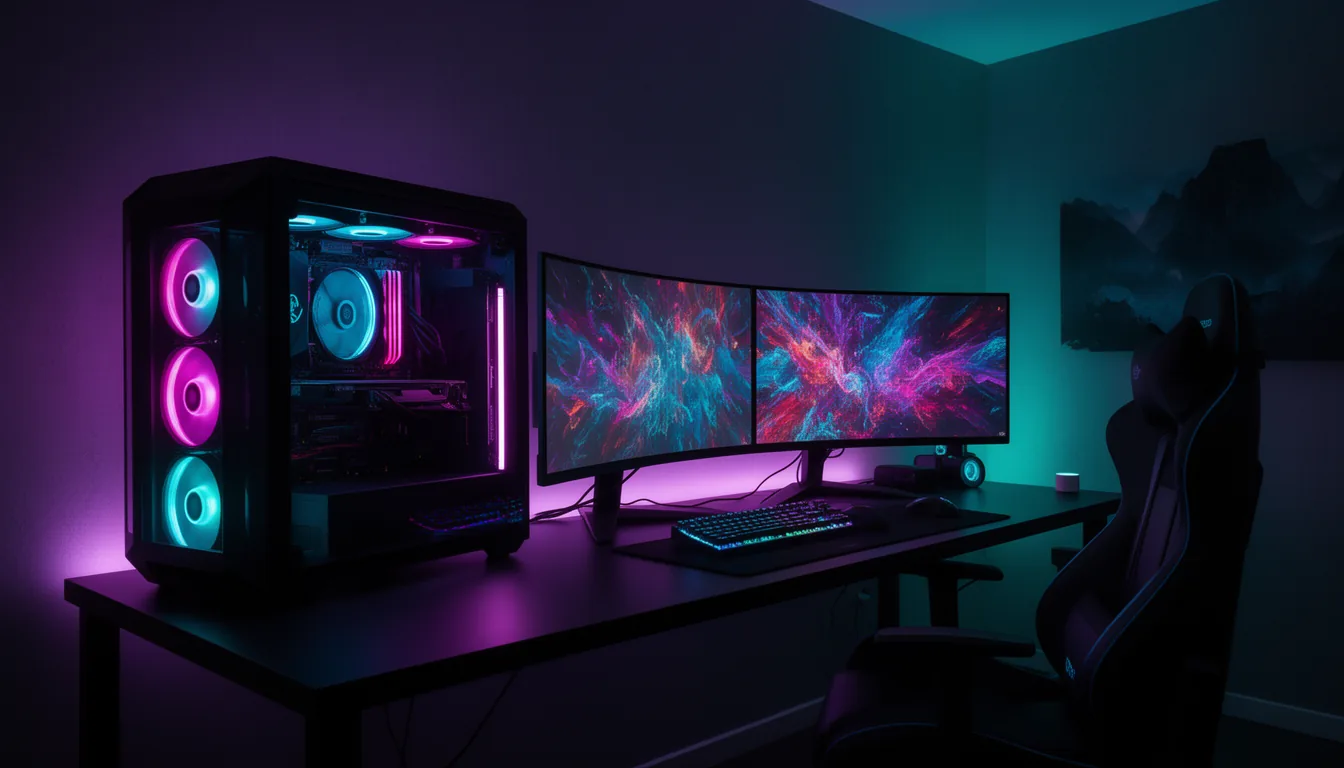
The one rule: it has to sync
The difference between "wow" and "chaotic" is a single coordinated colour palette moving in sync across the case, fans, RAM, keyboard and room. The honest catch: RGB from different brands mostly does NOT sync in one app - Corsair uses iCUE, ASUS uses Aura, Razer uses Chroma, Lian Li fans use L-Connect. So plan your ecosystem before you buy, or accept running two or three apps and matching colours by hand. (This is the same honesty rule behind our matched setups.)
The lighting ecosystems
| Ecosystem | Covers | Notes |
|---|---|---|
| Corsair iCUE | Corsair fans, RAM, keyboard, mouse, coolers, light strips | Deep, mature; iCUE Link tidies cabling |
| ASUS Aura Sync | ASUS/ROG boards, GPUs, RAM, peripherals + Aura-compatible parts | Broad partner support via the motherboard |
| Razer Chroma | Razer peripherals + Chroma-connected devices (incl. Philips Hue) | Best peripheral ecosystem; bridges to Hue |
| Lian Li L-Connect | Lian Li Uni Fan RGB + Strimer cables | The addressable-fan favourite |
| Philips Hue | Room lighting - light bars, gradient strips, bulbs | The premium room-ambiance layer; syncs to screen/audio |
| Govee / Nanoleaf | Room light strips, panels, gradient TV/monitor backlights | Great value room lighting; Govee has screen-sync |
The shoppable gear
The case (glass, so you see it): Lian Li O11 / HYTE Y70 Touch
A wraparound-glass case shows the build off. See our case guide. See our guide. Check current prices →
Addressable RGB fans: Lian Li Uni Fan SL-Infinity / Corsair iCUE Link
The centrepiece glow. Uni Fans daisy-chain with almost no cabling. Check current prices →
RGB RAM: DDR5-6000 CL30 with an RGB heatspreader
Matches the board lighting; pick your ecosystem's brand to sync it. See our guide. Check current prices →
RGB keyboard + mouse: A per-key RGB board + mouse
The desk half of the look. See our keyboard and mouse guides. See our guide. Check current prices →
Room ambient lighting: Philips Hue Play bars + gradient strip (or Govee / Nanoleaf)
The single biggest 'wow' upgrade - light the wall behind the desk. Hue syncs to your screen. Check current prices →
Monitor bias light: A backlight strip behind the monitor
Cuts eye strain in a dark room and adds a clean glow; Govee has a screen-matching version. Check current prices →
Where to start (biggest impact first)
- Room ambient lighting - a Philips Hue or Govee light bar/strip behind the desk transforms the whole room for the least money. Start here.
- A glass case with a few addressable RGB fans - so the build itself glows. Match the fan brand to your chosen app.
- Desk gear - an RGB keyboard and mouse in the same palette tie the desk to the tower.
- The finishing touches - RGB RAM, a monitor bias light, and cable management so nothing distracts from the glow.
A common, great real-world combo: Philips Hue for the room + one PC app (e.g. Lian Li L-Connect for the fans) - two systems, one coordinated palette. You don't need everything on one app; you need everything on one colour scheme.
Frequently asked questions
Does RGB lighting affect PC performance?
No - RGB lighting draws negligible power and has zero effect on gaming performance or temperatures. It's purely aesthetic. The only practical cost is a little cable management and running the lighting software; some RGB control apps (iCUE, Armoury Crate) can be resource-heavy in the background, which is the real thing to weigh, not FPS.
Do all RGB brands sync together in one app?
No, and this is the honest catch: RGB from different brands generally does NOT sync in a single app. Corsair gear uses iCUE, ASUS uses Aura, Razer uses Chroma, Lian Li fans use L-Connect - and they mostly don't talk to each other. To get one coordinated look, either buy within one ecosystem, or accept running two or three apps and matching colours manually. Some bridges exist (Razer Chroma connects to Philips Hue), but plan your ecosystem before you buy.
What's the best RGB ecosystem to build around?
It depends on your gear. For the PC internals, pick the app your case/fans/RAM already use - Lian Li L-Connect for Uni Fans, Corsair iCUE for a Corsair build, ASUS Aura if your motherboard drives it. For the room, Philips Hue is the premium choice (screen-syncing light bars and gradient strips), with Govee and Nanoleaf as strong value alternatives. Many great setups run one app for the PC and Hue/Govee for the room - that's a perfectly good split.
Is an RGB setup worth it?
If you enjoy the look, absolutely - it transforms how a room feels for a modest cost, and ambient wall lighting (behind the desk) delivers far more impact per dollar than more fans inside the case. It changes nothing about performance, so treat it as decor: pick an ecosystem so it looks intentional, start with the room lighting and a glass case, and add internal RGB from there.
Sources & method
Ecosystem coverage and the cross-brand-sync limitation are from the manufacturers' own lighting software (Corsair iCUE, ASUS Aura Sync, Razer Chroma, Lian Li L-Connect, Philips Hue, Govee, Nanoleaf). Gear picks link to our case, keyboard and mouse guides. The hero image is our own illustration, not a product photo. RGB has no performance effect. Prices are approximate and via affiliate search links; check current listings before buying. Last verified July 2026.
Related buyer's guides
All reviews →Buyer's guide / PC builds
Best gaming PC under $1,500 in 2026
The honest $1,500 build: a 16GB RX 9060 XT, Ryzen 5 and 32GB DDR5 for strong 1080p-ultra and entry-1440p gaming — with the real shortage-adjusted total, where every dollar goes, and whether a prebuilt beats it this year.
See the build →
Buyer's guide / PC builds
Best gaming PC under $2,000 in 2026
The value sweet spot: near-flagship 1440p gaming built around the RX 9070 XT and an X3D CPU — with the honest 2026 total, budget allocation, and exactly how to duck under a hard $2,000.
See the build →
Buyer's guide / PC builds
Best gaming PC under $3,000 in 2026
Where 4K becomes real: the fastest gaming CPU paired with an RTX 5080 for 1440p-max and 4K-high with DLSS 4 — the honest shortage-adjusted total, where every dollar goes, and a matched monitor.
See the build →
Buyer's guide / PC builds
Best gaming PC under $5,000 in 2026
The honest high-end build: a fully-maxed RTX 5080 creator-gaming machine with a 16-core 9950X3D, 64GB and 4TB — plus the truth about why $5,000 does not reliably buy a 5090 at 2026 street prices.
See the build →
Buyer's guide / AI PCs
LLM VRAM calculator
Enter a model size, quantization and context length to estimate the VRAM or unified memory an LLM needs to run locally — and instantly see which 2026 machines can hold it.
Use the calculator →
Buyer's guide / AI PCs
How to run LLMs locally: the 2026 hardware guide
How much VRAM or unified memory you need to run 7B-120B models locally, the capacity-vs-bandwidth tradeoff, and the 2026 hardware that hits each point on the curve — GB10, Ryzen AI Max, Apple Silicon and RTX GPUs.
Read the guide →